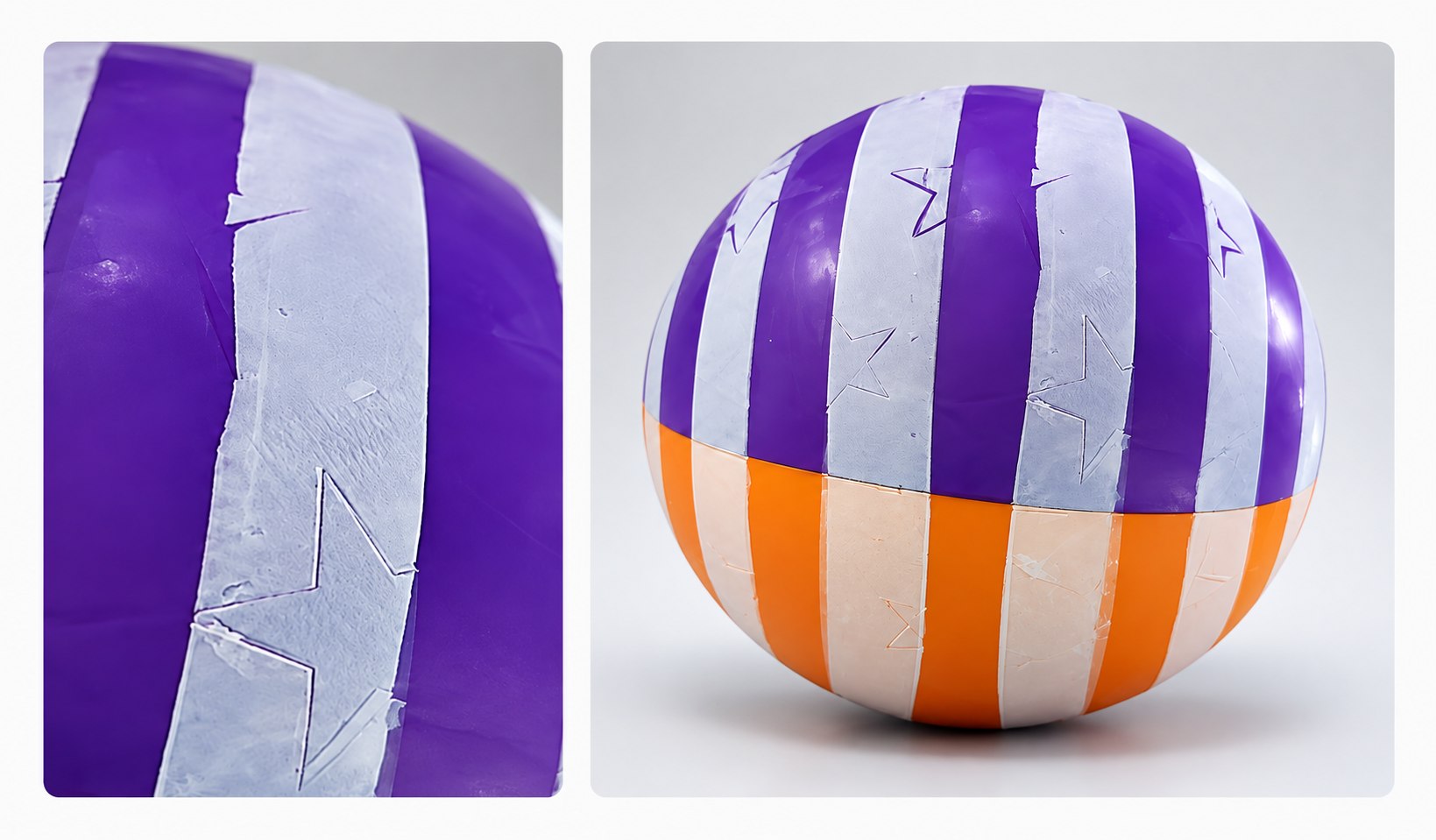
A logo that looks correct in a flat artwork file may become stretched, compressed, tilted, or uneven after it is transferred onto a ball. Golf balls, PVC or PU balls, rubber balls, toy balls, and other spherical products can all face this problem during printing.
The cause is not simply the curved surface itself. In most cases, logo distortion is the combined result of artwork geometry, silicone pad deformation, ball movement, fixture design, printing pressure, and ink transfer conditions.
Stable ball pad printing requires the artwork, silicone pad, printing plate, fixture, ball condition, and process parameters to be developed as one complete system.
Why Logos Distort on Curved Ball Surfaces
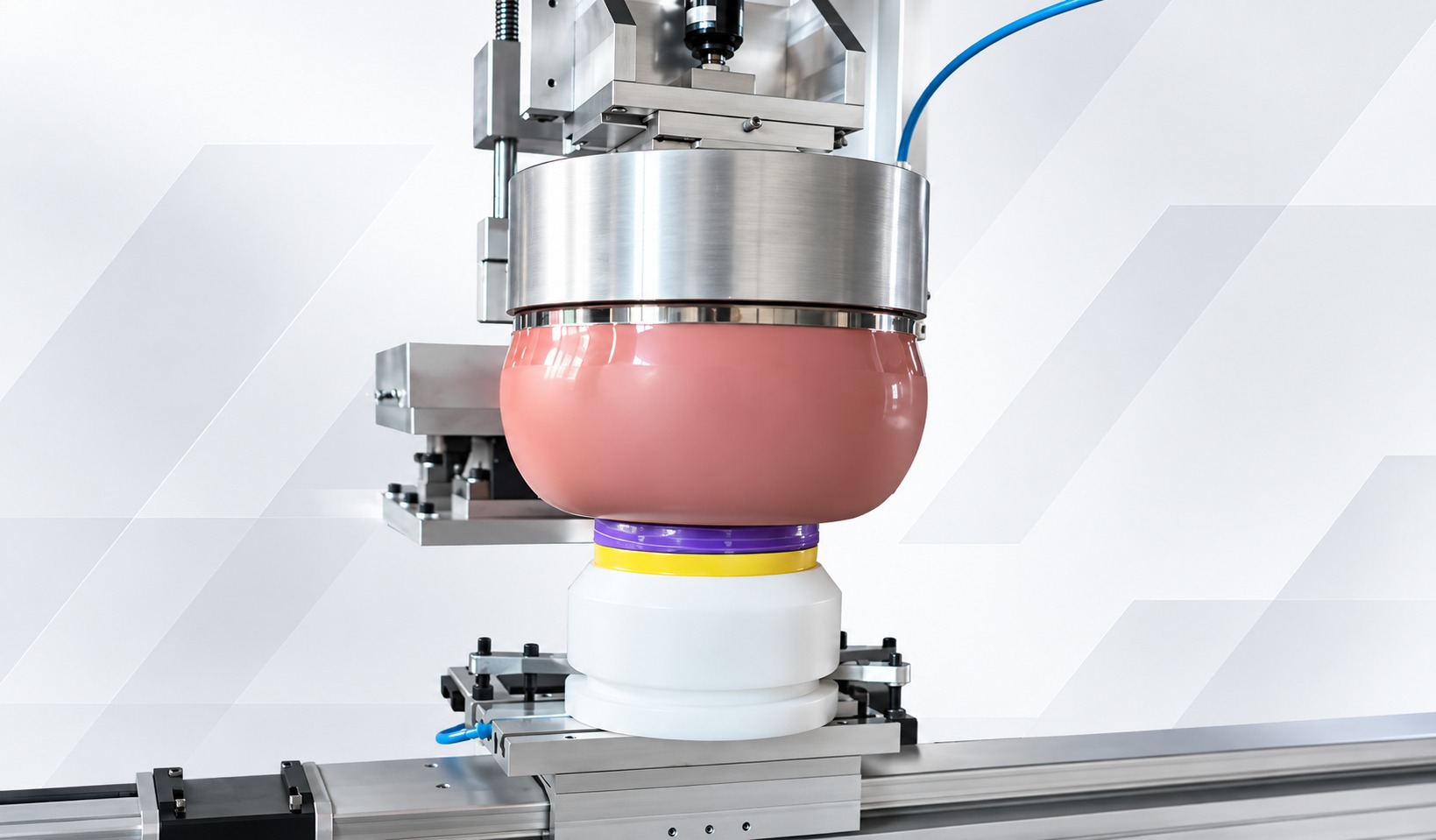
During pad printing, the flexible silicone pad picks up a flat ink image from the printing plate and then conforms to the curved ball surface to complete the transfer.
As the pad wraps around the spherical surface, different areas of the image travel different distances. The center area usually makes contact first, while the outer areas must travel across a greater surface angle.
If the ball moves, the pad is too soft or too small, or excessive pressure is applied, the image can become further distorted.
Common distortion problems include:
A circular logo becomes oval.
The center of text becomes wider while both sides become narrower.
Straight lines become curved after printing on the ball.
One side of the image becomes longer than the other.
Multi-color graphics show registration errors.
The center prints clearly while the outer areas show missing ink or breaks.
Because these defects can result from several factors acting together, adjusting only one machine parameter often provides only temporary improvement and does not create a stable, repeatable solution.
1. Define a Realistic Print Area
The wider a flat image extends across a spherical surface, the more obvious the geometric change during transfer usually becomes.
A small logo placed within a relatively stable area of the ball is easier to print clearly and consistently than a large image extending far toward both sides of the ball.
Before making the printing plate, confirm:
Ball diameter and surface profile
Actual logo size
Distance from the printing center to the steepest edge of the image
Whether the surface is smooth, dimpled, textured, soft, or inflatable
Whether each ball requires one printing position or multiple indexed positions
If the artwork width already exceeds the reasonable range for one stable transfer, the image can be reduced in size, divided into multiple printing positions, or produced using a controlled ball rotation process. Conventional localized pad printing should not be described as seamless full-ball coverage printing.
2. Compensate the Artwork After a Physical Test
Artwork compensation means adjusting the image on the printing plate in advance so that, after transfer distortion, the image appears visually correct on the ball.
Compensation must be based on actual measurement results rather than experience or guesswork alone.
One practical method is to first print a reference grid, concentric circles, or dimensioned test marks on the actual ball. Measure which areas become stretched, compressed, or curved, and then make corrections in the opposite direction in the artwork.
Example
If one area consistently becomes wider after printing on the ball, that area can be locally narrowed in the plate artwork.
Unless the distortion is completely uniform across the entire image, do not scale the whole logo by the same ratio. Distortion at the center of a spherical surface is usually different from distortion at the outer areas. Local compensation should be used and confirmed through another round of sample measurement. Compared with continuously changing several parameters at the same time, two or three rounds of controlled testing usually make it easier to identify the truly effective solution.
3. Match the Silicone Pad to the Ball and Artwork
The silicone pad connects the flat printing plate with the curved product surface. Its shape, size, contour, and hardness directly affect how the image expands during transfer.
A silicone pad used for ball printing should:
Be large enough to fully cover and extend slightly beyond the entire image.
Have a contact profile that rolls through the image without trapping air.
Conform to the ball surface without excessive lateral stretching.
Recover its original shape consistently after each printing cycle.
Avoid placing an unstable pad tip directly over critical logo details.
A pad that is too soft can expand outward and widen the image. A pad that is too hard may fail to cover highly curved or textured outer areas. A pad that is too small requires greater deformation to cover the entire image and can also increase distortion risk.
The correct choice is not simply the hardest or largest pad. The goal is to select a pad that can transfer the entire image with the lowest practical pressure while producing the least possible deformation.
4. Use a Dedicated Ball Fixture
Even when the pad and artwork are correctly matched, stable results cannot be achieved if the ball moves during contact.
A dedicated fixture should keep the position and orientation of the ball consistent in every printing cycle while leaving sufficient contact space around the printing area.
Soft or hollow balls require particular attention. Excessive clamping force can change the shape of the ball before printing, causing the image to look correct while the ball is held in the fixture but become distorted after the ball returns to its original shape. The fixture must therefore stabilize the product without squeezing it out of shape.
5. Use Only the Pressure Needed for Complete Transfer
Excessive pressure is one of the common causes of logo distortion. Once the pad has fully contacted the target printing area, further compression mainly pushes the silicone outward.
This can widen the center of the image, drag the edges, and create greater printing variation as the pad ages.
Ink Pickup Pressure
Use the lowest effective pressure that can completely pick up the image from the printing plate. Avoid bottoming out the pad or causing it to slide.
Printing Pressure
Start with low pressure and increase it gradually only until the target image transfers completely.
Where the geometry allows, the spherical printing area should also face the pad as directly as possible. If the fixture tilts the printing surface, one side will contact first and experience greater lateral movement. Correcting the fixture angle is often more effective than simply increasing pressure.
6. Stabilize the Plate, Ink, and Transfer Window
A logo that appears distorted can sometimes also be affected by the condition of ink transfer.
If the ink is too wet, it can smear or spread while the pad is compressed. If it dries too quickly, the outer areas may not release completely, making the image appear narrower or broken. Changes in ink viscosity can also cause image dimensions to vary within the same production batch.
Variables that should be controlled include:
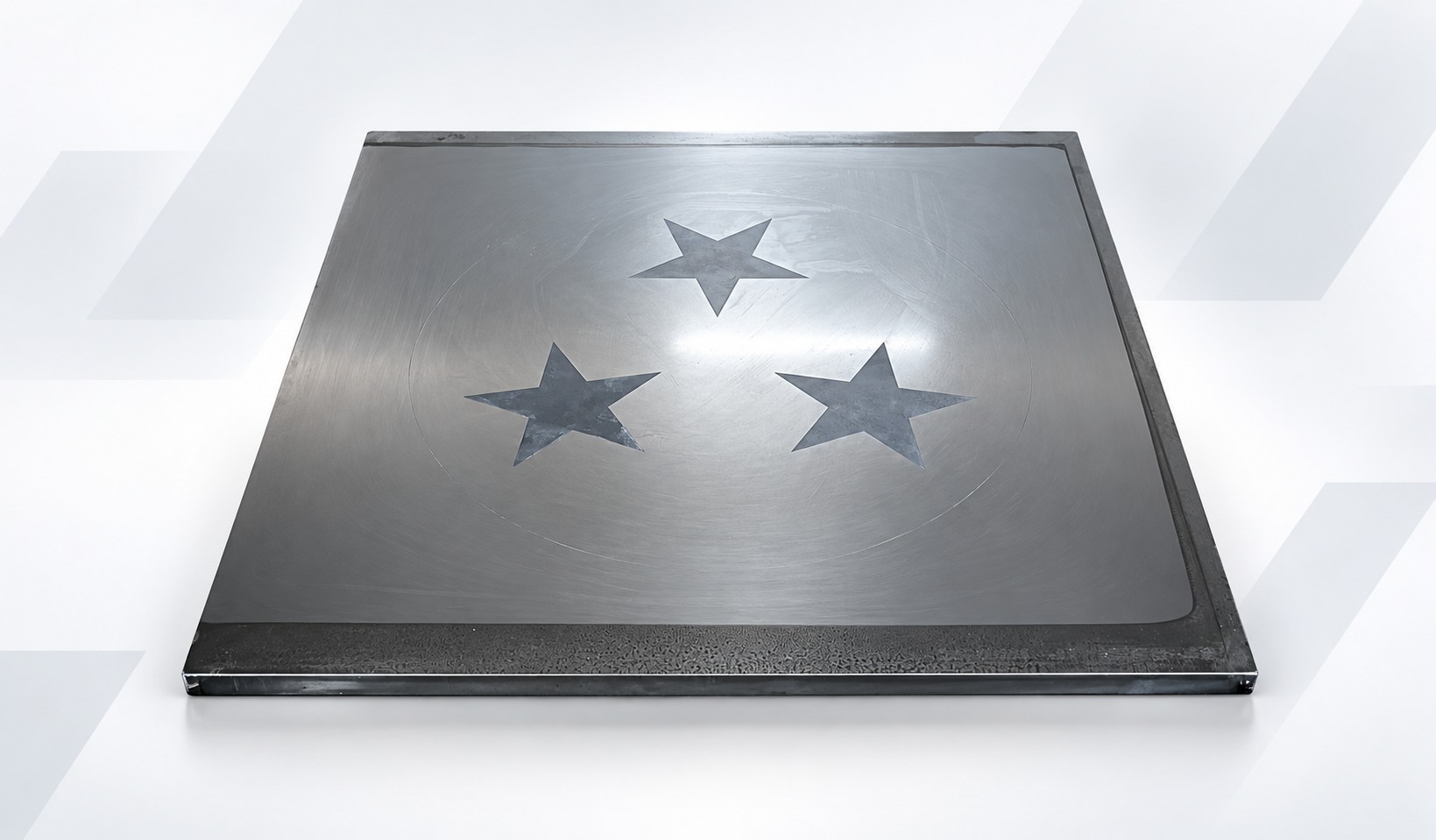
Printing plate quality and etching depth
Ink supply method and ink cup condition
Ink-to-hardener ratio when using two-component inks
Type and proportion of thinner
Ambient temperature, airflow, and machine idle time
Time between ink pickup and transfer
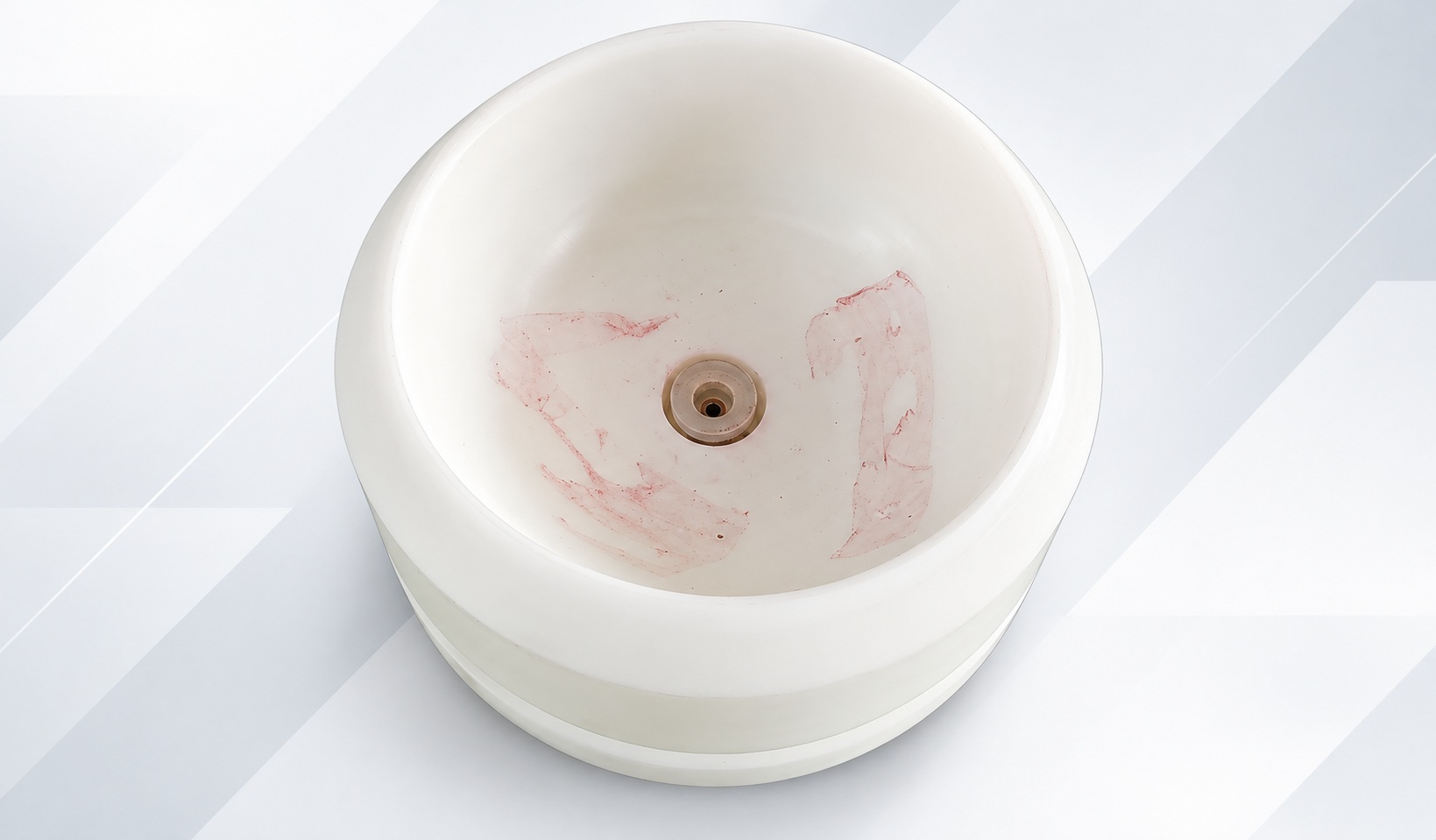
Pad cleanliness and surface condition
The ink must also match the ball material. PVC, PU, rubber, and different plastics may require different ink systems, surface cleaning, pretreatment, or curing conditions. Good adhesion cannot directly correct geometric distortion, but poor wetting or incomplete release can make geometric problems appear more severe.
7. Control Registration for Multiple Colors and Positions
Multi-color ball printing adds two additional risks: the ball may rotate between colors, and different pads may produce different levels of image distortion.
Clear registration references or controlled indexing should be used instead of relying only on visual positioning by the operator.
To achieve stable registration:
Use the same positioning reference and ball-center height at every station.
Keep pad shape and compression conditions matched between different color stations.
Confirm that the previous color has reached a suitable stable condition before the next contact.
Check registration at the outer edges as well as at the center of the image.
Use vision positioning or inspection when tolerance and artwork requirements genuinely require it.
If multiple logos must be printed around the same ball, both rotational angle and axial position must be controlled. Even a small angular error can create an obvious positional deviation at the edge of the logo.
A Practical Distortion Test Procedure
1
Record the product conditions
Record the ball material, diameter, surface texture, parting line or air-valve position, inflation condition, and target printing position.
2
Prepare a test artwork
Include a grid, circles, horizontal lines, vertical lines, and the actual logo outline.
3
Lock the mechanical conditions
Install the selected fixture and pad and maintain a repeatable ball-center height.
4
Start with low pressure
Increase pressure only until complete ink pickup and transfer are achieved.
5
Print a controlled sample group
Keep ink preparation, cycle time, and environmental conditions consistent.
6
Measure the results
Compare dimensional changes in the printed grid and logo at both the center and outer areas.
7
Change only one variable at a time
Adjust the artwork, pad, fixture angle, or pressure separately so that the true effect of each variable can be identified.
8
Confirm repeatability
The process should only be confirmed when consecutive samples remain within the agreed visual and positional standards.
Material Specific Considerations
Golf Balls
The dimpled surface contains many small height variations, so pad contour, image size, and ink release must be tested together. If the logo crosses too many or excessively deep dimples, edge detail may decrease even when the overall image shape is correct.
Table Tennis Balls
The thin shell structure can deform under clamping force or pad pressure. Use gentle and repeatable support to avoid pressing the ball out of round. The ink and curing conditions must also match the ball material.
PVC and PU Balls
Inflation level changes the curvature and hardness of the printing area. A consistent inflation condition should be specified for both sampling and production. Flexible surfaces may also move under the pad, so fixture support and lower printing pressure are particularly important.
Rubber and Toy Balls
Surface texture, release agents, and material formulations may vary. Actual production samples should be used to confirm cleaning methods, pretreatment, and ink compatibility rather than making assumptions based only on the general material category.
Develop the Process Around the Actual Ball
Stable spherical printing results come from matching the artwork, silicone pad, fixture, ball condition, and ink process as one complete system, followed by verification through controlled sample testing.
WINNEO Ball Pad Printing Solutions
WINNEO can develop ball pad printing solutions according to product diameter, material, surface texture, artwork, number of colors, and target output. After receiving ball samples and vector artwork, the printing area, fixture, silicone pad, and process configuration can be evaluated before equipment selection.






 IPv6 Network Supported
Sitemap | XML | Blog | Privacy Policy
IPv6 Network Supported
Sitemap | XML | Blog | Privacy Policy
 English
 English
 Русский
 Italiano
 Español
 عربي
عربي 한국어
한국어 Türk
Türk Polski
 ไทย
ไทย Tiếng Việt