Home

Blog

Blog

  • About Ceramic Pad Printing Machine FAQs
    About Ceramic Pad Printing Machine FAQs
    Jul 31, 2026
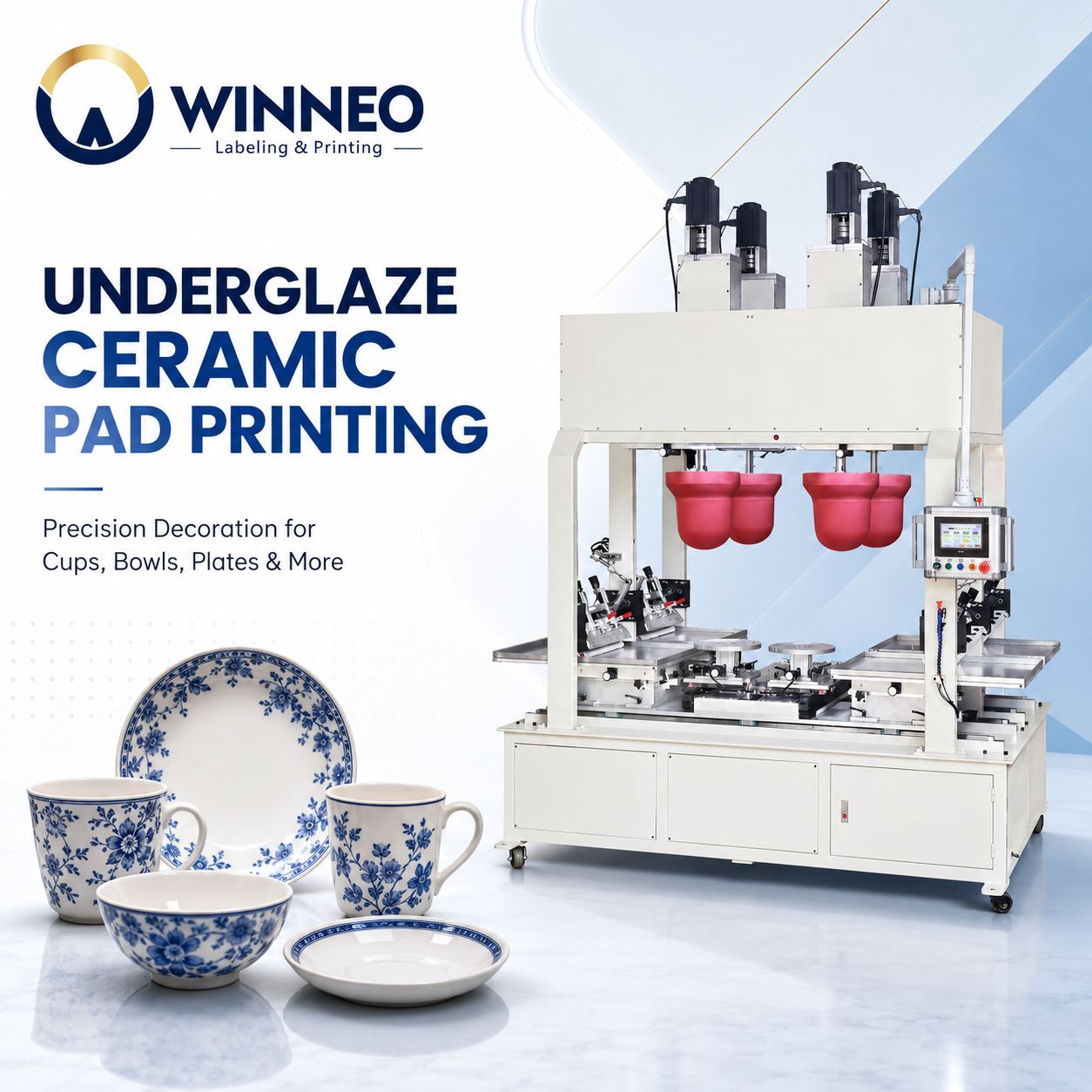
      The ceramic pad printing machine uses underglaze pad printing technology to transfer detailed patterns precisely onto ceramic bodies or beneath the glaze. After glazing and high-temperature firing, the design becomes integrated with the ceramic surface, delivering clear colors, excellent wear resistance and long-lasting print quality for ceramic cups, bowls, plates, saucers and more. About Ceramic Pad Printing Machine FAQs 1. What is a ceramic pad printing machine? A ceramic pad printing machine uses a flexible silicone pad to transfer patterns, logos or text from an engraved printing plate onto ceramic products. It is particularly suitable for curved, recessed and irregular surfaces. 2. What ceramic products can this machine print? WINNEO Automatic Ceramic Dishes/Plates/Bowls Pad Printing Machine can be configured for ceramic bowls, plates, cups, mugs, saucers, tiles, tableware, decorative ceramics and other shaped ceramic products. Custom fixtures and silicone pads may be required for different products. 3. Can it print on curved or irregular ceramic surfaces? Yes. The flexible silicone pad can adapt to curved and irregular surfaces, making pad printing suitable for areas that are difficult to print using conventional flat printing methods. 4. Can the machine print multiple colors? Yes. Multi-color ceramic pad printing machines can print two or more colors. Accurate color registration depends on the machine configuration, fixture precision, product consistency and process settings. 5. Is the ceramic pad printing process automatic? Yes. Depending on production requirements, the system can support automatic product feeding, positioning, printing, color registration and unloading. Semi-automatic configurations are also available for smaller production volumes. 6. What determines the printing speed? Printing speed depends on the number of colors, image size, ceramic product shape, loading method, ink drying requirements and level of automation. Actual output should be confirmed through product sample testing. 7. Is the printed pattern durable and dishwasher-resistant? We adopt under-glaze pad printing technology paired with ceramic-specific inks.The finished ceramic products are food-grade and safe for daily catering use, featuring excellent resistance to abrasion and chemicals, and are dishwasher-safe.To better meet customers’ practical demands, we still need to conduct verification tests tailored to each client’s actual application scenarios. 8. Does each ceramic product require a custom fixture? In most cases, yes. A suitable fixture keeps the product stable and accurately positioned during printing. Products with different sizes or shapes may require interchangeable or customized fixtures. 9. Can one machine print different ceramic products? Yes. The machine may be adapted to different products by changing the fixture, silicone pad, printing plate and process settings. The printable size and shape must remain within the machine’s working range. 10. What consumables are required? Common consumables include silicone printing pads, printing plates, ceramic-compatible inks, thinners, hardeners and cleaning materials. The exact consumables depend on the printing process and ceramic surface. About WINNEO Specialized in pad printing, screen printing and labeling solutions, we keep innovating to support manufacturers globally. We are dedicated to enhancing your printing processes by providing labeling equipment, pad and screen printing equipment, and related consumables. We work closely with you to deliver targeted solutions—making your print quality our mission and your success our future. WINNEO Specialist in Customized Labeling Machines & Screen Printing ,Pad Printing.
    Read More
  • How Pad Printing is Revolutionizing Underglaze Ceramic Production? A Complete Guide to the WINNEO 4-Color Ceramic Pad Printing Machine
    How Pad Printing is Revolutionizing Underglaze Ceramic Production? A Complete Guide to the WINNEO 4-Color Ceramic Pad Printing Machine
    Jul 21, 2026
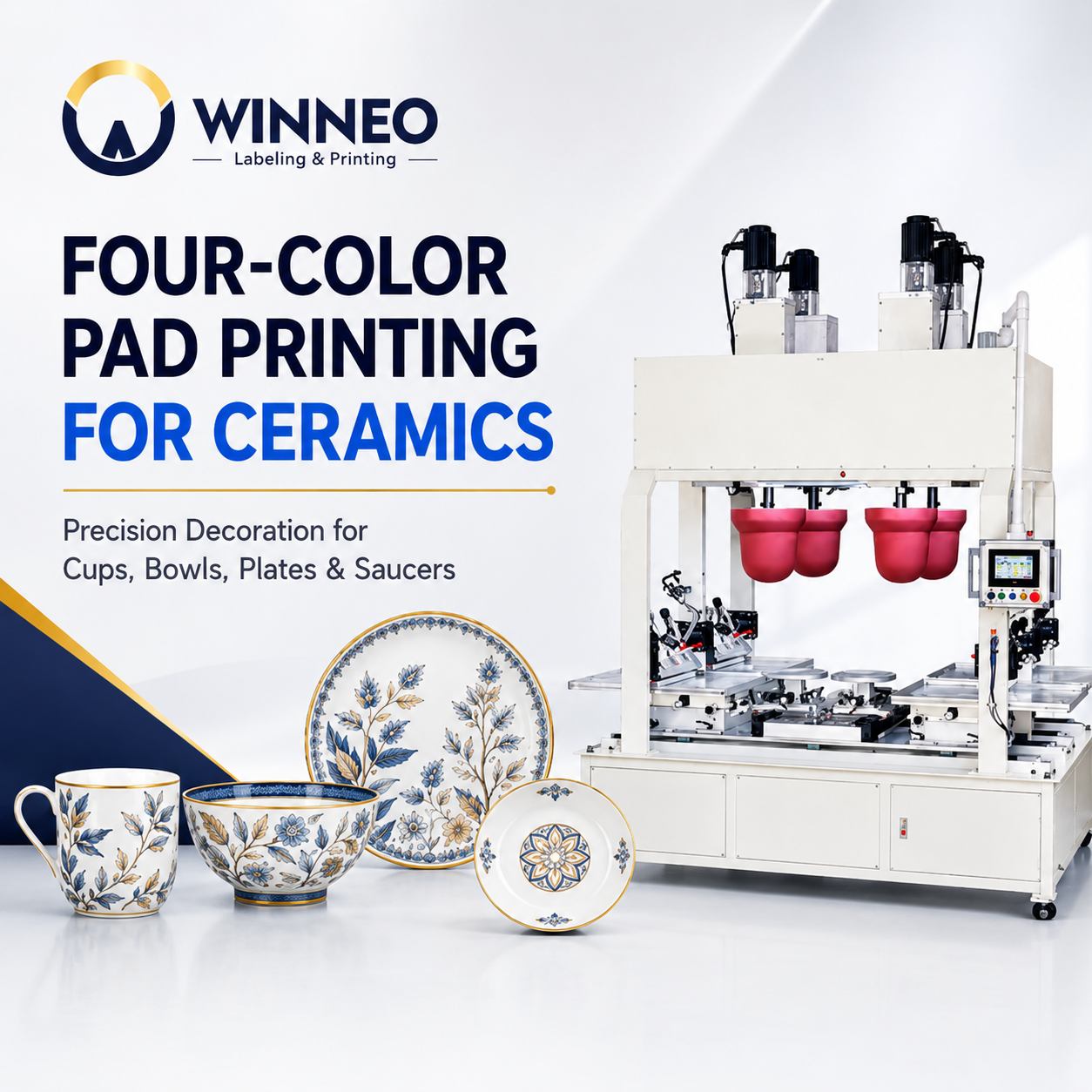
    In the highly competitive ceramic manufacturing industry, the efficiency and quality of decoration processes directly determine a company's profit margins. Attention ceramic manufacturers! Are you still struggling with the following production pain points? ◆ Hand-painting processes are highly costly and inefficient, making it hard to meet large-volume orders. ◆ Traditional screen printing fails to handle complex curved surfaces and irregular shapes perfectly. ◆ Multi-color pattern printing suffers from unstable quality and misalignment, leading to a high rejection rate. If these issues resonate with you, then automated ceramic pad printing technology is the key to breaking through the bottleneck. Today, we will dive deep into how the WINNEO 4-color ceramic pad printing machine is bringing industry-level innovation to underglaze ceramic printing. 1. The Limitations of Traditional Ceramic Decoration For a long time, ceramic surface treatment has relied on manual painting or traditional screen printing. However, as the market demands more personalized and complex patterns, the drawbacks of traditional methods are becoming increasingly obvious: labor costs are rising year by year, and screen printing often falls short when it comes to curved surface ceramic printing. The precision of multi-color overprinting is also hard to guarantee. The industry urgently needs an automated ceramic printing equipment that combines high efficiency, high precision, and high flexibility. 2. The Game Changer: WINNEO 4-Color Ceramic Pad Printing Machine As an industry-leading solution, the WINNEO 4-color ceramic pad printer perfectly balances the triangle of "Efficiency × Quality × Cost Advantage." High Efficiency: With a printing speed of up to 5 products per minute (360 pieces/hour), it easily handles large-scale production. Ultra-Wide Format: Supports an ultra-wide printing range from 50mm to 400mm, meeting diverse needs from mini cups to large dinner plates. 3. Three Core Technical Advantages to Reshape Production Efficiency Advantage 1: Precision Servo Control System for Ultimate Clarity Equipped with advanced servo motors and linear guide rail systems. Compared to traditional pneumatic devices, it not only runs faster and positions more accurately but also operates with extremely low noise. Most importantly, it ensures uniform ink distribution without shifting, bringing the pattern clarity of underglaze ceramic printing to an unprecedented level. Advantage 2: Ultimate Surface Adaptability, Breaking Shape Limits Whether it's flat, curved, or irregular surfaces, the WINNEO pad printing machine can handle it with ease. By customizing silicone pads of various sizes and shapes, it comprehensively covers common categories such as ceramic cups, bowls, plates, and dishes, and can even print perfectly on both inner and outer surfaces, truly solving the industry challenge of curved surface ceramic printing. Advantage 3: Exceptional Cost Control to Boost Profit Margins When it comes to reducing ceramic production costs, the WINNEO 4-color ceramic pad printing machine performs exceptionally well. Its unique pad printing process ensures that the consumption of pigments and inks is far lower than that of screen printing and hand painting. Combined with its high capacity of 360 pieces/hour, it significantly reduces the labor and material costs per unit. 4. WINNEO Ceramic Underglaze Pad Printing Machine: Model Comparison & Selection Different product lines require the most suitable equipment. Please check the model comparison table above to understand the specific parameters and application scenarios of each model. Model Printing Speed Max. Printing Area Suitable Applications WP-CEREMIC-1 600-800 pcs/hour 420 x 420 mm Fast Single-Color Production WP-CEREMIC-2 600 pcs/hour 500 x 500 mm Fine Two-Color Patterns WP-CEREMIC-3 600 pcs/hour 320 x 320 mm Precision Three-Color Printing WP-CEREMIC-4 360 pcs/hour 400 x 400 mm Complex Four-Color Patterns Conclusion & Call to Action From manual to automated, from flat to complex curved surfaces, the WINNEO pad printing machine is redefining the standards of underglaze ceramic printing. If you want to increase capacity, reduce the rejection rate, and significantly cut production costs, now is the best time to upgrade your equipment. Click here to get a free quote Contact our technical experts to customize an exclusive ceramic printing solution for you! About WINNEO Specialized in pad printing, screen printing and labeling solutions, we keep innovating to support manufacturers globally. We are dedicated to enhancing your printing processes by providing labeling equipment, pad and screen printing equipment, and related consumables. We work closely with you to deliver targeted solutions—making your print quality our mission and your success our future. WINNEO Specialist in Customized Labeling Machines & Screen Printing ,Pad Printing.
    Read More
  • ¡Campeones! Spain Wins the 2026 World Cup — WINNEO Celebrates with Our Spanish Partners!
    ¡Campeones! Spain Wins the 2026 World Cup — WINNEO Celebrates with Our Spanish Partners!
    Jul 20, 2026
              Historic Victory · July 19, 2026 Congratulations, Spain! Spain Is the 2026 FIFA World Cup Champion A celebration of championship spirit, shared values and the global partnerships that continue to inspire WINNEO. 🏆 World Champions A Night of Football History The final whistle has blown, and the world witnessed history — Spain is the 2026 FIFA World Cup Champion! In a breathtaking final on July 19th, La Roja defeated Argentina 1-0 in extra time, with Ferran Torres delivering the decisive blow in the 106th minute. After 16 years, the trophy returns to Spain — and the celebrations are well deserved. Final Result Spain 1–0 Argentina Extra time · Winning goal in the 106th minute 🤝 A Message to Our Partners Here at WINNEO, we are proud to work alongside clients and partners across Spain and the broader Spanish-speaking world. Your passion, precision, and dedication inspire us every day — much like the Spanish national team's relentless spirit on the pitch.   A Champion’s Formula We Share Just like Spain's winning formula — discipline, teamwork, and precision — these are the same values we bring to every labeling and printing solution we deliver. 01 · Discipline Consistent Standards A disciplined approach to every stage of equipment design, production and service. 02 · Teamwork Global Cooperation Close collaboration with clients and partners to create suitable production solutions. 03 · Precision Reliable Performance Accurate labeling and printing solutions designed for stable industrial production. WINNEO Solutions Helping Your Production Line Perform Like a Champion Whether it's high-speed labeling machines, pad printing systems, or custom consumables, WINNEO is committed to helping your production line perform like a champion. High-Speed Labeling Machines Pad Printing Systems Custom Consumables   🏆 Congratulations to Spain and All Our Spanish-Speaking Partners Worldwide! From all of us at WINNEO — ¡Vamos España!
    Read More
  • Solving the Challenge of Centered Cap Labeling: How an Automatic Clamping Labeling Machine Improves Production Quality
    Solving the Challenge of Centered Cap Labeling: How an Automatic Clamping Labeling Machine Improves Production Quality
    Jul 12, 2026
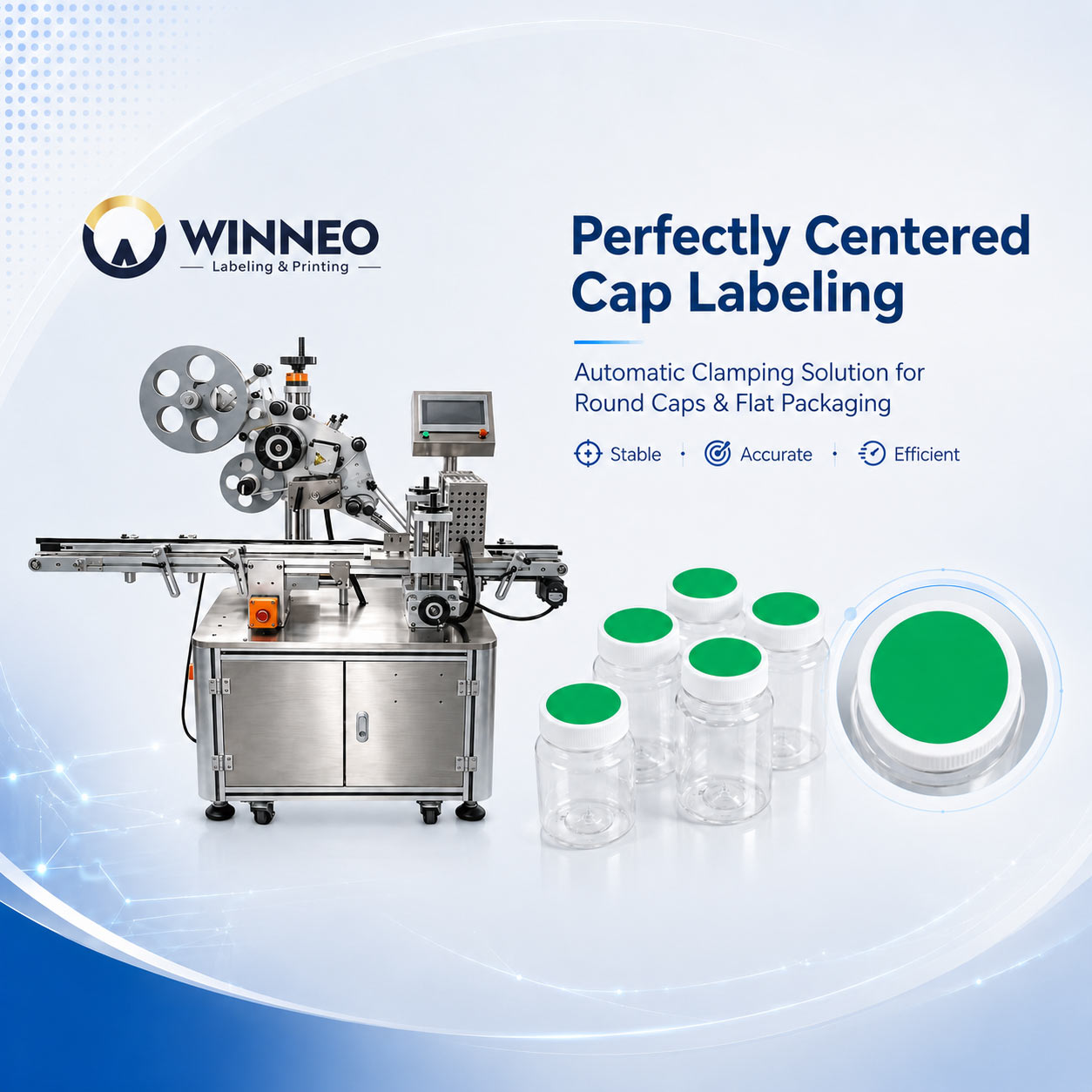
      Solving the Challenge of Centered Cap Labeling: How an Automatic Clamping Labeling Machine Improves Production Quality In many industries, labeling a flat surface is relatively simple. But when it comes to round bottle caps, achieving a perfectly centered label at high speed becomes a real challenge. A small deviation is highly visible on circular surfaces. Even a slight offset can affect the overall appearance of the package, reduce product quality perception, and increase rework costs.   This is exactly the challenge our customer faced. The Challenge: High-Speed Centered Labeling on Round Caps For products such as: • Food & beverage bottles • Honey jars • Sauce containers • Cosmetic containers • Healthcare bottles customers often require the label to be positioned precisely at the center of the cap. However, during the labeling process: • Round products can easily rotate or shift during transportation • Manual positioning causes inconsistent results • Traditional flat labeling machines struggle with high-precision cap positioning The result? ❌ Unstable labeling position ❌ Increased defective rate ❌ Extra labor for re-labeling ❌ Higher production costs The Solution: Automatic Clamping Positioning Technology To solve this problem, we developed an Automatic Flat Clamping Labeling Machine equipped with a dedicated clamping mechanism. The clamping system works like a positioning guide: ✅ Stabilizes the product during transportation ✅ Prevents bottle movement during labeling ✅ Ensures accurate center positioning ✅ Improves consistency in mass production By combining precise control systems with mechanical positioning, the machine achieves stable and repeatable labeling performance. Technical Configuration To ensure reliable operation, the machine integrates high-quality industrial components: ⚙ Control System Panasonic PLC ⚙ Product Detection Sensor Panasonic SUNX sensor + Precise sensor system ⚙ Label Traction & Drive System Leadshine stepper motor system ⚙ Clamping & Drive System Leadshine stepper motor system Performance Improvement After upgrading to the automatic clamping labeling solution: Labeling Accuracy ±1mm Labeling Speed 40–80 pcs/min Product Quality High yield rate with stable labeling consistency Operation Easy adjustment and convenient setup Application Flexibility After adjustment, the machine can handle different products within the suitable size range, including: • Round bottles • Flat products • Boxes • Containers The Evolution of Labeling Technology 1.0 Semi-Automatic High Precision Labeling Machine(WT101) 2.0 Fully Automatic Flat Labeling Machine(WT303) 3.0 Automatic Flat Clamping Labeling Machine ✔ High accuracy (up to ±0.2mm) ✘ Requires manual loading ✘ Limited production efficiency ✘ Speed: 15–25 pcs/min ✔ Faster production speed ✔ Suitable for most flat products ✘ Still cannot perfectly solve high-precision centered cap labeling ✔ Centered cap labeling capability ✔ High-speed production ✔ Stable quality output ✔ Simple adjustment The clamping structure creates a new possibility: High precision + High efficiency + High flexibility Business Results for Customers This upgrade delivered measurable improvements: Better Product Appearance Perfectly centered labels improve packaging quality and make products look more premium on the shelf. Reduced Labor Cost By eliminating repeated manual correction: From 2–3 operators → 1 operator Lower Label Waste Label consumption reduced by approximately 20% Improved Production Quality Defective labeling rate: Before: 15–20% After upgrade: 0% Conclusion For manufacturers requiring consistent, high-quality labeling on round caps and flat packaging, precision positioning is the key. The Automatic Clamping Labeling Machine provides a practical solution by combining: ✔ Stable product positioning ✔ Precise labeling control ✔ High-speed automation ✔ Flexible application capability A small mechanical improvement — the clamping mechanism — can create a significant upgrade in production efficiency and product quality. Need a Centered Cap Labeling Solution? Send us your cap diameter, product dimensions, label size, required speed and sample photos. Our engineers will evaluate the application and recommend a suitable labeling configuration. Contact WINNEO on WhatsApp Contact WINNEO by filling out the form
    Read More
  • Why is D2 thick cliché plate the preferred choice for acidic substrates? The secret behind a one-million-impression lifespan.
    Why is D2 thick cliché plate the preferred choice for acidic substrates? The secret behind a one-million-impression lifespan.
    Jun 24, 2026
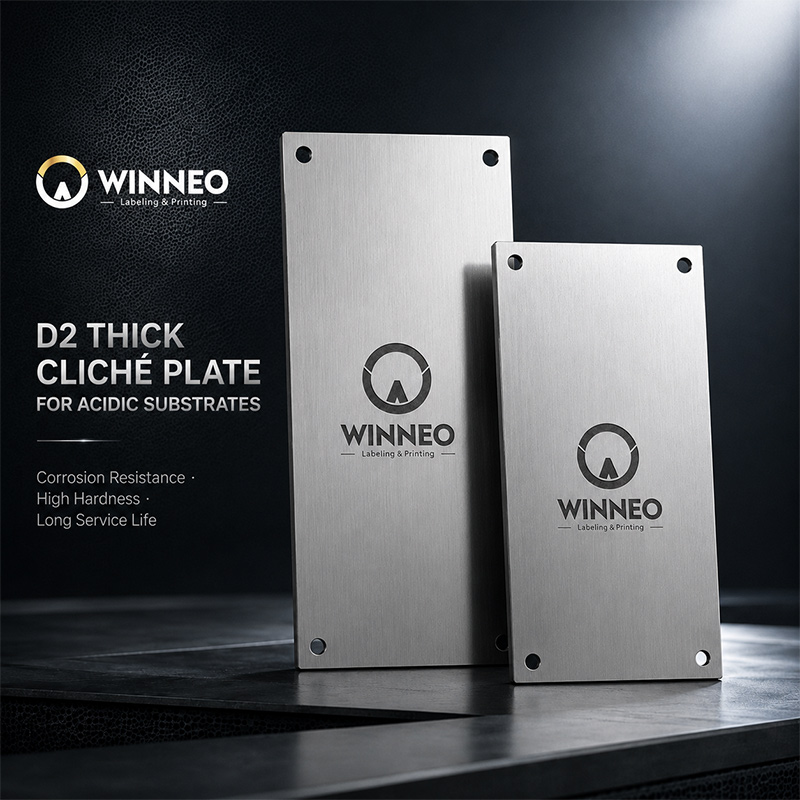
    Have you encountered issues such as premature corrosion of steel pad-printing plates or a decline in print quality? This may be due to excessive acidity in the substrate or the failure to select rust-resistant chromium steel for the plates.   An acidic environment accelerates the oxidation and corrosion of the steel plate, leading to: 1. Blurred edges of the printed pattern 2. Pitting on the steel plate surface 3. Significantly reduced printing lifespan   Three Key Advantages of the D2 Thick Cliché Plate: I. Exceptional Corrosion Resistance Its high chromium content (approximately 12%) provides excellent rust resistance, earning it the designation "semi-stainless steel."   II. Ultra-High Hardness and Wear Resistance ●Hardness reaches HRC 63 ± 1 after heat treatment. ●Scratch resistance withstands 600,000 to 1,000,000 cycles (7–10 times that of thick cliché plate 【Z01】) service life of standard Z01 thick cliché plate. III. Long-term Cost-Benefit Analysis Although WINNEO (D2) thick cliché plates require a higher initial investment, their service life is 5 to 10 times longer; this reduces the frequency of downtime for replacements and ensures consistent print quality, thereby lowering overall production costs. Furthermore, thanks to heat treatment, WINNEO’s high-quality chrome (D2) thick cliché plates can be reground and refurbished more than five times while maintaining performance comparable to that of a new plate.   IV. WINNEO Pad Printing Steel Plates–(D2) thick cliché plates Application Scenarios ●Electronic products (plastic parts with acidic coatings) ●Medical devices (requiring chemical corrosion resistance) ●Automotive components (exposed to corrosive environments)●Cosmetic packaging (containing alcohol and acidic ingredients) Our Commitment WINNEO will continue to provide customers with reliable machinery and equipment, high-quality services, and ample consumable supply solutions to ensure the normal operation of equipment and promote business growth.   We are not just your product supplier, but also your partner: Before sales, we actively work with you to determine product solutions; during sales, we improve and adjust products according to specific needs, and send product videos so you can witness the product in operation or be shipped firsthand. After sales, we can provide local or remote training and guidance for any related issues.   As a professional provider of pad screen printing and labeling products and services, WINNEO will provide solutions and continuous innovation for factories and users worldwide.
    Read More
  • WINNEO Latest Trends in Apparel Labeling Technology — Label-Free Pad Printing
    WINNEO Latest Trends in Apparel Labeling Technology — Label-Free Pad Printing
    Jun 05, 2026
    Label-free pad printing is a more cost-effective and flexible alternative to heat transfer printing and sewn labels.    Traditional garment factories still rely on screen printing or heat transfer printing for labeling. Screen printing has obvious limitations: it requires the fabric to be completely flat. However, finished garments feature curved necklines, uneven side seams and soft materials. When screen printing is forced onto these irregular surfaces, the screen stencil cannot fit closely against the fabric, resulting in incomplete patterns, ghosting, and even damage to the garments.   Heat transfer labels, by contrast, come with higher costs and longer production lead times, plus poor durability. Since heat transfer films are merely attached to the fabric surface, the labels tend to crack and deform after repeated bending, stretching or washing.     What’s more, heat transfer labeling requires at least two pieces of equipment: a printer and a heat press. Both devices increase energy consumption and generate large amounts of waste. The backing paper of heat transfer films is discarded after application, creating extra waste and bringing adverse impacts on environmental protection.     Advantages of Pad Printing   1.Excellent conformability Equipped with soft silicone pads that work just like stamps, the pads can flex freely and fit perfectly onto uneven surfaces. It can print labels directly on curved necklines, cuffs and wrinkled areas. This technology is applicable to all types of apparel, ranging from underwear to outerwear.   2.Superior durability The printing ink penetrates deep into the fabric and becomes an integral part of the garment. The pad printed labels can withstand numerous washes without cracking or peeling off.   3.High efficiency   Compared with other labeling methods, pad printing features instant drying. No heat bonding or additional dryers are required. This outstanding advantage is not only a major plus for apparel labeling manufacturers, but also an indispensable tool to help them expand their market share.       Advantages of Label-Free Pad Printing over Sewn Labels, Heat Transfer Labels and Screen Printed Labels         Components of WINNEO Fully Electric Tagless Printing Machine (Fabric Label Printing Machine)   1. WINNEO Tagless Printing Machine  This standalone label-tagless pad printing machine is specially developed by WINNEO for label printing on garments and fabrics: Fully electric design Low operating noise. No additional air compressor is required. The positioning accuracy reaches up to ±0.02mm. Fabric holding fixture Equipped with adhesive mats to fix fabrics firmly without causing damage. Built-in laser positioning cursor also makes alignment much easier. Shuttle-type silicone pads The pads move back and forth automatically for color printing. Frequent adjustment is not needed, so the machine is easy to operate. Even new operators can handle printing work effortlessly.     2. Pad Printing Plates (Clichés) We supply a full range of plate materials for printing applications, including:Compatible with Z01 thick plates, Z02 thick plates, D2 thick plates, ZT thick plates , carbon steel plates, stainless steel plates,aluminum plates,ceramic plates, etc.     3. Silicone Pads Garments vary in print pattern size and require pads with different hardness and softness. Besides standard silicone pads, WINNEO also provides customized pads to meet diverse demands.With 20 years of experience in the pad printing industry, we have built a comprehensive silicone pad database. Our professional team is ready to offer technical support and recommendations to help you select the most suitable pads.     4. Ink Cups & Rings Spare ink cups and blade rings are provided to improve ink changing efficiency.Our ink cups are compatible with equipment of other brands and available at competitive prices. We can also recommend matched blade rings according to your production capacity, helping you achieve optimal printing results within your budget.     5. Printing Inks Apparel pad printing inks need not only good printability, but also meet the following requirements: 1、Non-irritating to skin for comfortable wear; 2、Excellent wash and abrasion resistance: no color fading after repeated washing and long-term use; 3、Resistant to cracking when stretched.   Garment materials cover cotton, polyester, nylon, spandex, PU leather and various blended fabrics, all with distinct surface properties. Therefore, our inks are specially formulated to match different fabrics: 1、Good penetration and adhesion on natural fibers; 2、Strong surface bonding performance on chemical fibers; 3、Reliable stable adhesion on elastic materials.
    Read More
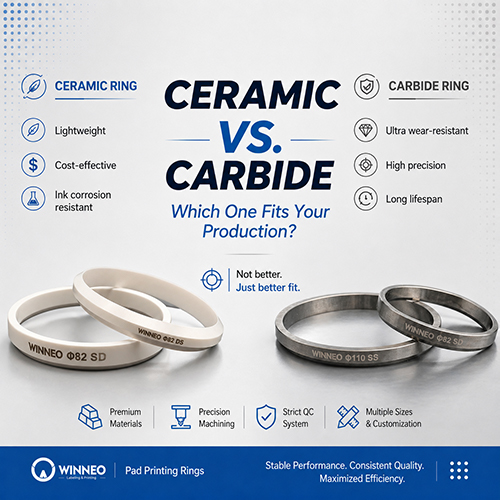
  • 【Ceramic vs Carbide 】Ink Cup Rings — Which One Should You Choose?
    【Ceramic vs Carbide 】Ink Cup Rings — Which One Should You Choose?
    May 22, 2026
    “Ceramic or carbide?” This is where most buyers get stuck. But the truth is: It’s not about which is better   It’s about which fits your pad printing machine and specific ink cups setup.     Quick Comparison Both materials serve different roles in modern pad printing ink cup systems. The choice directly impacts ink transfer quality, seal longevity, and line throughput.         How to Choose (Based on Your Application) ✅ Go for Ceramic Rings if you: l Run small batches / multiple SKUs l Use corrosive inks in your pad printing ink cup l Need a cost-effective & flexible solution l Prefer lighter equipment load on your press     ✅ Go for Carbide Rings if you: l Run high-volume, continuous production l Require high precision & consistency across every ink cups cycle l Operate in high-temperature environments l Want to minimize downtime & maintenance for your pad printing machine What Actually Matters Choosing the right ring is really about optimizing your:   ✔ Production stability ✔ Maintenance frequency ✔ Downtime ✔ Overall efficiencyNot just the material. About WINNEO Pad Printing Rings In real production, consistency is everything:   lPremium raw materials + heat treatment → durability & corrosion resistance lCNC precision machining → tight tolerances & tight tolerances & stability for any pad printing ink cup l100% inspection + simulation testing → reliable performance lMultiple sizes & customization → tight tolerances & stability for any pad printing ink cup     Bottom line: The best ring isn’t ceramic or carbide — it’s the one engineered for your pad printing machine workflow. If you're evaluating ink cup rings for your line,If you're evaluating ink cups or upgrading your pad printing ink cup components for your line Feel free to share your application — happy to exchange insights.
    Read More
  • How Labeling Machines Work For Plastic Bags And Glass Bottles
    How Labeling Machines Work For Plastic Bags And Glass Bottles
    Jan 13, 2026
    In the modern manufacturing and packaging landscape, the visual presentation of a product is just as vital as the quality of the product itself. Whether it is a sleek glass bottle containing a premium beverage or a flexible plastic bag holding organic snacks, the label serves as the primary bridge between the brand and the consumer. However, applying these labels with precision, speed, and consistency is a complex engineering feat.   Understanding how labeling machines adapt to different materials—specifically the rigid, cylindrical surfaces of glass bottles and the flexible, often uneven surfaces of plastic bags—reveals the incredible versatility of packaging technology.     The Fundamentals of Labeling Technology   At its core, any labeling system must synchronize three critical movements: the speed of the product conveyor, the dispensing speed of the label, and the application pressure. While the underlying logic remains consistent, the hardware configurations vary significantly based on the container's geometry.   For small-scale producers or boutique brands, a Desktop Labeling Machine provides the perfect balance of footprint and efficiency. These compact units are designed to handle various containers, allowing businesses to transition from manual "peel-and-stick" methods to automated precision without requiring massive industrial floor space.   The Anatomy of an Automatic Labeler   Every labeling machine generally consists of: The Unwind Stand: Holds the roll of pressure-sensitive labels. The Peeler Plate: A sharp edge that forces the label to separate from its backing paper (the liner). The Drive Motor: Controls the timing of label dispensing. The Applicator: The component (roller, brush, or vacuum) that secures the label to the product.     Precision on Curves: Labeling Glass Bottles   Glass bottles present a unique challenge due to their rigidity and weight. Most glass bottles are cylindrical, requiring a "wrap-around" technique to ensure the label is centered and free of bubbles. The Wrap-Around Method   When a glass bottle moves down the line, it is usually spaced out by a timing screw or a separator wheel to ensure it hits the labeling head at the exact right moment. For round containers, a Round Bottle Labeling Machine utilizes a specialized "wrap station."   As the bottle reaches the applicator, the leading edge of the label is tacked onto the glass. Simultaneously, a motorized belt or a set of rollers spins the bottle in place. This spinning motion pulls the rest of the label onto the surface, ensuring a seamless 360-degree application or a perfectly aligned front-and-back placement.   Overcoming Glass Imperfections   While glass is rigid, it isn't always perfect. Minor variances in bottle diameter (known as "taper") can cause labels to "spiral" or tilt. High-end round bottle labeling machines compensate for this by allowing the labeling head to tilt slightly, matching the specific contour of the bottle. This level of adjustment is why automated systems far outperform manual labor in high-volume beverage and pharmaceutical industries.     Stability on Flexibility: Labeling Plastic Bags   Labeling plastic bags or pouches is a completely different science. Unlike glass, plastic bags are flexible, light, and prone to wrinkling. If you try to label a bag while it is filled with product, the uneven surface often leads to trapped air and crooked labels.   The "Flat-First" Approach To achieve a professional look, plastic bags are almost always labeled while they are empty and flat. This ensures the surface is as predictable as a sheet of paper. To handle this, manufacturers use a Flat Labeling Machine for bags equipped with an automatic friction feeder.   The process works as follows:   1. Feeding: A stack of empty bags is placed in the feeder. A high-speed friction wheel "shucks" the bottom bag from the stack and flings it onto a vacuum conveyor belt. 2. Stabilization: The vacuum belt sucks the bag down flat, preventing it from shifting or fluttering as it moves toward the labeling head. 3. Application: The label is dispensed from above. Because the bag is flat and supported by the conveyor, the machine can apply significant pressure via a rubber roller to ensure the adhesive bonds instantly to the plastic.     Key Differences in Material Handling   Feature Glass Bottle Labeling Plastic Bag Labeling Material State Rigid and heavy Flexible and lightweight Common Issue Bubbling and skewing Wrinkling and static Product Handling Spaced by timing screws Fed by friction feeders Application Style Wrap-around or side-panel Top-down flat application     The Role of Adhesives   The material also dictates the type of adhesive used. Glass is non-porous and can be cold or damp (especially in beverage filling), requiring moisture-resistant adhesives. Plastic bags, often made of polyethylene or polypropylene, have "low surface energy," meaning labels need a high-tack adhesive to prevent the edges from peeling up over time (a phenomenon known as "flagging").     Why Automation Matters   Switching from manual application to a desktop labeling machine or a fully integrated line offers three primary benefits:   1. Accuracy and Branding   A crooked label on a luxury perfume bottle or a misaligned sticker on a coffee bag sends a signal of poor quality to the consumer. Automation ensures that every single unit looks identical, reinforcing brand trust.   2. Throughput Efficiency   A manual laborer might label 5 to 10 bottles a minute with varying degrees of accuracy. A basic Round Bottle Labeling Machine can easily process 30 to 60 units per minute, while high-speed industrial lines can exceed 200 units per minute.   3. Reduced Waste   Manual labeling often results in "lost" labels due to human error—misalignment usually means the label is peeled off and thrown away. Machines use sensors (photoelectric eyes) to detect the product and the label gap, reducing waste to nearly zero.     Choosing the Right Machine for Your Business   If you are a growing business, the choice of equipment depends entirely on your packaging format.   For Craft Brewers and Wineries: A Round Bottle Labeling Machine is the industry standard. Look for models that can handle different bottle heights and diameters to future-proof your production. For Food Producers and Apparel Brands: If you are packing items in stand-up pouches or poly-mailers, a Flat Labeling Machine for bags is essential. The inclusion of a feeder is the "secret sauce" here; without a feeder, you are still stuck feeding bags one-by-one by hand. For General Versatility: If your product line includes both jars and boxes, a modular Desktop Labeling Machine platform allows for the most flexibility.     The Future of Labeling   As we move toward 2026 and beyond, labeling technology is becoming even smarter. We are seeing the integration of vision systems that check for label presence and OCR (Optical Character Recognition) to ensure that expiration dates printed on the labels are legible.   Furthermore, the rise of eco-friendly packaging means machines are being recalibrated to handle thinner, compostable labels and "linerless" labeling systems that eliminate the waste of backing paper.   Regardless of the material—be it the classic elegance of glass or the modern convenience of plastic—the technology behind the label remains a cornerstone of the global supply chain. By investing in the right automated solutions, businesses ensure that their first impression on the retail shelf is a perfect one.    
    Read More
  • Which Pad Printing Machine Delivers Higher Productivity in Semi-automatic Operations Single Color vs Multi Color
    Which Pad Printing Machine Delivers Higher Productivity in Semi-automatic Operations Single Color vs Multi Color
    Dec 19, 2025
    Comparing Productivity Features of Pad Printing Machines   Explore the productivity differences between single and multi color pad printing machines. Features WINNEO Single Color Pad Printing Machine WINNEO Multi Color Pad Printing Machine Printing Speed High speed for single color jobs. Up to 1000 pieces per hour. Setup Time Quick setup for single ink. Longer setup for multiple inks. Workflow Complexity Simple and straightforward process. Complex with multiple steps. Job Suitability Best for simple designs. Ideal for intricate, multi-color designs. Training Requirements Low training complexity. Moderate to high training needed. Maintenance Needs Standard maintenance tasks. More frequent checks required. Cost Efficiency Lower operating costs for simple jobs. Higher upfront cost but efficient for complex jobs. Color Capability Single color printing only. Prints up to six colors.   You will achieve higher productivity with a multi color pad printing machine when your jobs involve complex designs or require several colors. If your printing tasks are simple and need only one color, a single color machine often works faster and more efficiently. Productivity depends on job type, how quickly you set up the machine, and your skill as an operator. Market trends show that multi color machines dominate industries with high demand for customization, while single color machines are growing in popularity among small businesses. The choice between each semi-automatic pad printing machine reflects your specific production needs and goals.   Key Takeaways · Choose a single color pad printing machine for simple jobs. It offers faster setup and higher efficiency for high-volume tasks. · Opt for a multi color pad printing machine when handling complex designs. It allows printing multiple colors in one cycle, boosting productivity. · Consider changeover and setup time. Single color machines require less time for job changes, while multi color machines save time on large batches. · Evaluate your most common printing tasks. Match the machine type to your job complexity and color requirements for optimal results. · Invest in operator training. Skilled operators enhance productivity by reducing errors and maintaining a smooth workflow.   Productivity in Semi-automatic Pad Printing Machines Workflow and Speed Comparison When you compare single color and multi color pad printing machines, you notice differences in how each machine handles workflow and speed. Single color pad printing machines usually offer a straightforward process. You load your substrate, set the ink, and start printing. The operator manages each step, which keeps the workflow simple and efficient for jobs that require only one color. Multi color pad printing machines introduce more steps into the workflow. You need to align each color, adjust the pads, and monitor the sequence of prints. These machines often use turntables or shuttles to move the substrate between different color stations. This setup allows you to print complex designs in one cycle, which increases speed for multi-color jobs. You can reach speeds of up to 1000 pieces per hour with advanced multi color pad printing machines, especially when printing several colors at once.   Machine Type Workflow Complexity Speed for Single Color Jobs Speed for Multi Color Jobs Single Color Simple High Low Multi Color Complex Moderate High   If you print only one color, single color pad printing machines work faster because you avoid extra steps. If your job needs multiple colors, multi color pad printing machines save time by printing all colors in one pass. You should choose the machine that matches your job requirements to maximize productivity. Tip: For high-volume jobs with simple designs, single color pad printing machines help you finish faster. For detailed, multi-color prints, multi color pad printing machines boost your output.   Changeover and Setup Time Changeover and setup time play a major role in overall productivity. When you switch from one job to another, you need to change inks, adjust fixtures, and set up the machine for the new design. The time you spend on these tasks affects how many items you can print in a day. You benefit from pad printing machines that offer features like closed ink cups and adjustable fixtures. These features help you change jobs quickly and reduce downtime. Here are some ways changeover time impacts productivity: · Quick changeovers reduce downtime between print jobs, enhancing overall production efficiency. · Machines with features like closed ink cups and adjustable fixtures facilitate faster changeovers. · Reduced setup time leads to less printing time lost, directly impacting productivity. Single color pad printing machines often require less setup time because you only need to prepare one ink and pad. You can switch jobs quickly, which helps you keep your production line moving. Multi color pad printing machines need more setup time since you must prepare several inks and align multiple pads. However, if you print many multi-color jobs in a row, you save time by not having to run each color separately. You should consider how often you change jobs and the complexity of your prints. If you run frequent changeovers, single color pad printing machines may offer higher productivity. If you print large batches of multi-color designs, multi color pad printing machines help you work more efficiently.   Key Factors: Number of Colors and Job Complexity Impact of Number of Colors on Productivity You need to consider the number of colors in your design when you choose a pad printing machine. If you print with only one color, you can finish jobs quickly with a single color pad printing machine. You load the substrate, set the ink, and print in one pass. This process works well for simple logos, serial numbers, or basic graphics. When your job requires multiple colors, you face more steps. Multi color pad printing machines let you print several colors in a single sequence. You do not need to batch products for each color. This feature saves you time and reduces labor costs. You can handle complex designs more efficiently. The table below shows how each machine type handles complex jobs:   Feature Multi-Color Machines Single-Color Machines Printing Capability Multiple colors in a single or few passes Requires multiple passes for multi-color Efficiency for Complex Jobs More efficient, saves time and labor Slower for complex jobs Design Complexity More complex with advanced control systems Simpler design   If you print detailed graphics or need high-resolution images with several colors, multi color pad printing machines help you achieve better productivity. You save time because you do not need to run the same item through the machine for each color. You also lower your work in process inventory, which helps you manage your production line more effectively. Tip: If your business prints products with more than one color, you should consider a multi color pad printing machine to boost efficiency and reduce labor.   Application Suitability by Job Type You must match your pad printing machine to the type of job you handle most often. Single color pad printing machines work best for simple tasks. You can use them for marking medical devices, printing serial numbers on industrial equipment, or adding logos to consumer electronics. These jobs need clear, durable prints but do not require complex color schemes. Multi color pad printing machines suit jobs that demand intricate designs and multiple colors. You find these machines in industries like cosmetics, toys, and automotive. For example, a beauty-tech start-up needed three-color, high-resolution prints on unique applicators. Multi color machines made this possible in one sequence, saving time and ensuring consistent quality. You see multi color pad printing machines used for: · Advertising gadgets · Plastic and glass packaging · Automotive dashboards and control knobs · Medical and pharmaceutical products · Household appliances Single color pad printing machines excel at: · Marking instruments and syringes in medical fields · Branding on smartphones and laptops · Serial numbers and safety warnings on heavy machinery · Efficient marking on injection-molded and 3D-printed parts You should look at your most common jobs and decide which machine fits your needs. If you print simple, high-volume items, single color machines offer speed and reliability. If you print complex, multi-color designs, multi color machines deliver better results and higher productivity. Note: The right machine depends on your job complexity and the number of colors you need. You can improve your workflow and reduce costs by choosing the best fit for your production line.   Operator Skill and Maintenance in Pad Printing Machines Training Requirements You play a key role in the productivity of semi-automatic pad printing machines. Your skill level determines how quickly and accurately you complete each job. You must align items by hand, keep the workflow moving, and check every print for quality. If you have experience and know the machine well, you can boost both speed and print quality. Single color pad printing machines usually require less training. You learn basic setup, ink handling, and substrate alignment. You master the process quickly and start printing with confidence. Multi color pad printing machines need more advanced skills. You must understand color registration, pad alignment, and sequence control. You spend more time learning how to manage multiple colors and adjust the machine for complex jobs.   Machine Type Training Complexity Key Skills Needed Single Color Low Basic alignment, ink setup Multi Color Moderate to High Color registration, sequencing, pad adjustment   Tip: You can improve productivity by investing in operator training. Skilled operators reduce errors and keep the workflow smooth. Maintenance and Downtime Regular maintenance keeps your pad printing machines running smoothly. You face similar maintenance tasks with both single color and multi color machines, but multi color machines may require extra attention due to their complexity. Common maintenance issues include: · Ink adhesion problems · Managing the life of consumables · Routine maintenance checks You should follow these steps to minimize downtime: · Wipe the pad and plate clean after each job · Inspect for ink residue on all surfaces · Check that the substrate fixture stays aligned · Lubricate moving parts regularly If you maintain your machine well, you avoid unexpected breakdowns and keep production on schedule. Multi color machines may need more frequent checks because they have more moving parts and color stations. You should set a regular maintenance schedule and train your team to spot issues early. Note: Consistent maintenance helps you extend the life of your pad printing machine and ensures high-quality prints every time.   Choosing the Right Pad Printing Machine Production Volume and Cost You need to look at your production volume before you choose between pad printing machines. If you run high-volume jobs with simple designs, single color pad printing machines often give you faster results and lower operating costs. These machines use less ink and require fewer adjustments, which helps you save money over time. You also spend less on training because operators learn to use single color machines quickly. Multi color pad printing machines work best when you print complex designs or need several colors on each item. These machines handle larger batches with intricate graphics, which increases your output for multi-color jobs. You may pay more upfront for multi color machines, but you gain efficiency when you print products that need multiple colors. You also reduce labor costs because you do not need to run each item through the machine several times. Tip: If your business prints thousands of items with detailed designs, multi color pad printing machines help you keep costs low and productivity high.   Decision Guide for Machine Selection You should compare several factors before you select pad printing machines for your operation. The table below shows key decision criteria:   Decision Criteria Description Complexity of Color Evaluate the complexity of color requirements for your printing needs. Printing Speed Consider the speed of production and how it affects overall efficiency. Ease of Use Assess how user-friendly the machine is for operators. Cost Considerations Analyze the cost implications of each machine type for your budget.   You need to match your machine to your job type. If you print simple, single-color items, single color pad printing machines offer speed and reliability. If you print multi-color graphics, multi color pad printing machines deliver better results and save time. You should also think about operator skill and maintenance needs. Specialized pad printing machines can help you meet unique requirements, such as printing on curved surfaces or using special inks. · Make a list of your most common jobs. · Decide how many colors you need for each job. · Estimate your monthly production volume. · Compare the cost of each machine type. · Ask your team about training and maintenance needs. Note: Specialized pad printing machines give you more flexibility if you handle custom projects or unusual materials. You improve your workflow and reduce costs when you choose the right pad printing machines for your business.   WINNEO Pad Printing Machines Overview Semi-automatic Standard Pad Printing Machine Features You find that WINNEO offers a Semi-automatic Standard Pad Printing Machine built for precision and stability. This pad printing machine uses a thickened steel plate for the body, which gives you reliable operation during high-volume tasks. The high-quality pad printing machines from WINNEO use CNC-machined components. These parts help you achieve consistent quality and accuracy. You benefit from original FESTO/SMC brand components, which keep failure rates low and reduce downtime. WINNEO includes a full-chain quality control system. This system ensures every pad printing machine meets strict standards before delivery. You receive 24/7 after-sales support, so you can solve any issues quickly. The intuitive controls and adjustable settings make this semi-automatic pad printing machine easy for you to use.   Single Color Pad Printing Machine Advantages You gain several advantages when you choose a WINNEO Single Color Pad Printing Machine for semi-automatic operations. The machine delivers high printing efficiency, so you complete jobs quickly. You operate the machine easily with a microelectronic keyboard controller. You print on flat, curved, and irregular surfaces, which gives you versatility. The table below summarizes the main advantages:   Advantage Description High Printing Efficiency The machines are designed for optimal performance, ensuring quick and effective printing. Easy Operation Features like a microelectronic keyboard controller simplify the operation process. Versatility Capable of printing on various surfaces including flat, curved, and irregular shapes.   You also benefit from WINNEO’s focus on quality. The robust construction and precision components help you maintain consistent results. You find that the semi-automatic pad printing machine reduces setup time and keeps your workflow smooth.   Multi Color Pad Printing Machine Advantages You see that the WINNEO Multi Color Pad Printing Machine offers unique benefits for complex jobs. This pad printing machine prints up to six colors in one cycle, which boosts your productivity. You use a microcomputer control system to manage functions and actions. The independent rubber head lets you adjust stroke and speed for each color. You position the ink base and workbench with X, Y, and R axis adjustments. The machine uses a turntable or shuttle for stable operation. You reach speeds up to 1000 pieces per hour, which helps you handle large batches. WINNEO pad printing machines address maintenance and downtime challenges with strong build quality and precision components. You use calibration tools to keep performance high. You integrate the pad printing machine with your existing systems easily. You access spare parts and technical service quickly, which minimizes downtime. WINNEO provides training programs and warranty terms for peace of mind.   Aspect Description Build Quality Ensures durability and reduces the frequency of repairs. Precision of Components Enhances the accuracy of printing, minimizing errors that could lead to downtime. Calibration Tools Availability of tools for regular calibration helps maintain optimal performance. Integration Capabilities Compatibility with existing systems reduces the need for extensive modifications. After-Sales Support Access to spare parts and technical service ensures quick resolution of issues, minimizing downtime. Training Programs Provides operators with the knowledge to effectively use and maintain the machines. Warranty Terms Offers peace of mind regarding repairs and replacements, further reducing potential downtime.   You improve your workflow and achieve high-quality results when you select the right WINNEO semi-automatic pad printing machine for your needs. You compare the Single Color Pad Printing Machine and Multi Color Pad Printing Machine to find the best fit for your production goals.     You achieve higher productivity with multi color pad printing machines for complex, multi-color jobs. Single color machines work best for simple, high-frequency changeovers. Your choice depends on job complexity, number of colors, and production volume. Use the table below to assess your needs:   Factor Description Number of Colors Multi-color machines print more colors at once. Frequency of Changeovers Single color machines reduce downtime for frequent changes. Production Volume Multi-color machines boost efficiency for large batches. Specific Requirements Match machine features to your product needs.   · Balance speed and print quality. · Consider material compatibility and surface challenges. · Analyze cost versus performance. Consult suppliers or experts for tailored recommendations.   FAQ What is the main difference between single color and multi color pad printing machines? You use single color machines for simple prints. Multi color machines handle complex designs with several colors in one cycle.   Machine Type Best For Single Color Simple jobs Multi Color Complex graphics   Which machine offers faster setup for frequent job changes? You set up single color machines faster. You change ink and pad quickly. Multi color machines need more time for color alignment and pad adjustments. Tip: Choose single color machines for frequent changeovers.   Can you print on curved or irregular surfaces with both machines? You print on flat, curved, or irregular surfaces with both machine types. WINNEO pad printing machines offer adjustable settings for different shapes. · Flat surfaces · Curved surfaces · Irregular surfaces   Which machine is better for high-volume production with detailed designs? You achieve higher productivity with multi color pad printing machines for high-volume, multi-color jobs. You print several colors in one pass, saving time and labor. Multi color machines boost efficiency for complex, large batches.   Do operator skills affect productivity for both machine types? You need basic skills for single color machines. Multi color machines require advanced skills for color registration and pad alignment.   Machine Type Skill Level Needed Single Color Basic Multi Color Advanced    
    Read More
  • What Can a Screen Printing Machine Print and How to Choose?
    What Can a Screen Printing Machine Print and How to Choose?
    Dec 05, 2025
    When "screen printing" is mentioned, the first image that comes to mind is almost always a t-shirt. This isn't wrong, but limiting a standard screen printing machine to apparel is like saying a car is only for driving to the grocery store—it completely ignores the technology's true power in industrial manufacturing and commercial product decoration.   The term "standard" can be misleading. It doesn't mean "basic" or "limited." It refers to the versatile manual and semi-automatic workhorses that form the foundation of the industry. These machines are the true multi-tools, found in small-scale artisan shops and on large-scale production floors.   But as you prepare to invest, two fundamental questions immediately arise: What can it really print? And with thousands of options, how do I choose the right one?       Part 1: What Can a Standard Screen Printer Print? (The Answer: Almost Anything) The core principle of screen printing is simple: a squeegee pushes ink through a tensioned mesh (the screen) that has a stenciled image, depositing the ink onto a substrate (your product). This means the machine's capability is limited primarily by two things: the ink formulation and the jig (the custom fixture that holds your product).   1. By Substrate (Material) A standard machine can handle virtually any material, provided you select the correct ink system (solvent-based, water-based, UV-cured, etc.) to achieve adhesion. Substrate Category Common Industrial & Commercial Applications Plastics (Rigid & Flexible) Electronic enclosures (ABS, PC), acrylic (PMMA) signage, polypropylene (PP) containers, PVC control panels, vinyl stickers. Metals (Coated & Bare) Anodized aluminum nameplates, powder-coated chassis, stainless steel front panels, metal rulers, tin packaging. Glass & Ceramics Beverage bottles, cosmetic containers, lab glassware, mugs, tiles, automotive glass. Textiles & Fabrics Apparel (the classic), canvas bags, nylon banners, non-woven polypropylene totes, athletic jerseys. Paper & Wood High-end invitations, art prints, packaging boxes, wooden signs, circuit boards (PCBs). Silicone & Rubber Silicone wristbands, keypad buttons, promotional items, gaskets with markings.   2. By Geometry (Shape) This is where most misunderstand the "standard" machine. They assume it is only for flat items. A) Flat Surfaces This is the machine's "default" function. From a single-color logo on a tote bag to a complex multi-layer graphic on a metal sign, a flatbed printer is the starting point. In industrial applications, however, precision is paramount. When printing electronics, membrane switches, or instrument dials, the alignment of each color layer (registration) must be perfect. This is where the machine category evolves. A High Precision Flat Screen Printing Machine is a step above a "standard" apparel press. It's built on a heavy-duty, vibration-dampening frame and uses machine vision, servo-motor drives, and micrometer adjustments to ensure registration accuracy that a simple manual machine cannot possibly replicate.   B) Cylindrical & Conical Objects So, what about bottles, cups, tubes, and vials? A standard machine can be adapted for this. By adding a "cylindrical attachment" or "tooling," the machine's function is transformed. As the flat screen moves, a specialized jig rotates the bottle in sync. This "rolls" the flat image from the screen onto the curved surface. For high-volume production where the graphic must be printed in the exact same spot on every bottle (for example, aligned with a seam or an embossed mark), you need a more intelligent system. This is the specific job of a Cursor Positioning Round Bottle Screen Printer. This machine uses an optical sensor (the "cursor") to find a pre-existing registration mark on the product—like a small notch on the bottom of a bottle or a printed dot. It then automatically rotates the bottle to that precise starting point before every single print, ensuring perfect consistency from the first unit to the 10,000th.     Part 2: How Do I Choose One? Now that we know its versatility, how do you source the right machine? The market is flooded with thousands of models, from desktop manual presses to fully automated lines. Choosing the wrong machine is a costly error. Here are the key factors you must consider to create a decision-making framework.   1. Level of Automation This is your first decision point. It directly impacts your production speed, consistency, and labor costs. Automation Level How It Works Speed Consistency Best Use Case Manual Operator does everything: lowers screen, pulls squeegee, raises screen, changes product. Low Low (Operator-dependent) Prototyping, hobbyists, small custom orders. Semi-Automatic Operator loads/unloads the product. The machine performs the print stroke (squeegee/flood bar) automatically. Medium-High High (Pressure & speed are constant) The "gold standard" for most industrial shops. Fully Automatic Product is fed and ejected automatically (e.g., via conveyor or robotic arm). Very High Extremely High Dedicated, high-volume production of a single product.   2. The "Universal" Temptation Many new businesses seek a single machine that can "print everything." This leads them to the Universal Screen Printing Machine. It's critical to understand what "Universal" means in this context. It does not mean a magic box that automatically adapts to any product. It means the machine is modular and adaptable. A Universal Screen Printing Machine is typically a robust base that allows you to quickly swap out different tooling and attachments. For example: On Monday, you install a vacuum table to print flat metal panels. On Tuesday, you swap in a cylindrical jig to print glass vials. On Wednesday, you attach a hat-printing pallet. The value of this machine is its versatility. It's the ideal choice for a job shop or a business with a diverse, low-to-mid-volume product line. Its drawback is the setup time required to change from one product type to another.   3. Key Technical Specifications: Your Purchasing Checklist When you compare quotes, look past the price tag. Use this checklist to compare the features that actually matter for print quality and usability. Key Specification Why It's Critical (What to Ask) Micro-Registration This is non-negotiable for multi-color work. It refers to the knobs that allow you to make fine X, Y, and Z-axis adjustments to the screen for perfect color alignment. Off-Contact (Snap-Off) This is the small vertical gap (1-3mm) between the screen and the product. It's essential for a sharp print. Is this distance easy to set, adjust, and lock in place? Squeegee & Flood Bar System Is the pressure adjustable and even? Is the angle adjustable? On a semi-auto machine, pneumatic (air) pressure provides far more consistency than a spring-loaded system. Vacuum Table (for Flatbeds) If you are printing light, thin substrates (paper, vinyl, thin plastic), a vacuum table is mandatory. It holds the material flat and prevents it from sticking to the screen after the print. Build Quality & Frame Is the machine built from heavy-gauge, welded steel or bolted, lightweight aluminum? A heavier, more rigid machine minimizes vibration and holds precise registration at high speeds.   4. Consider the Entire Workflow Finally, you are not just buying a printer; you are investing in a process. Your budget must include the entire workflow: Pre-Press: You need a high-quality exposure unit to create your stencils. Your screen quality (mesh count, tension) will directly impact your print quality. Curing: The ink is useless if it doesn't cure properly. This is the most common point of failure. You must match your curing unit to your ink and substrate. This could be a conveyor dryer (for textiles, solvent inks) or a high-intensity UV curing lamp (for industrial UV inks). Choosing a "standard" screen printing machine is a balance of production volume, required precision, and product flexibility. Be clear on your primary application (flat vs. cylindrical), assess your true automation needs, and be relentless in vetting the technical specifications like micro-registration and off-contact. The right machine is the one that masters your 80% core business with precision, while offering the flexibility you need for tomorrow.    
    Read More
  • Why Label Accuracy Matters More Than You Think in Product Packaging
    Why Label Accuracy Matters More Than You Think in Product Packaging
    Nov 10, 2025
    Take a moment to walk through any retail aisle. What separates a product that looks premium, trustworthy, and professional from one that looks cheap or untrustworthy? Often, the answer is right on the surface: the label.   We tend to think of product labels as simple identifiers or marketing flourishes. But in the world of manufacturing and packaging, a label is a critical component. Its accuracy—or lack thereof—has profound, cascading effects on your brand perception, your legal standing, and ultimately, your bottom line.   Many businesses, especially those scaling up, underestimate the true cost of "good enough" labeling. A slightly crooked label here, a small wrinkle there... what’s the big deal?   As it turns out, it's a very big deal. Let's explore why label accuracy is far more than just an aesthetic concern.       1. The High Cost of Inaccuracy: Legal and Compliance Nightmares In many industries, the label isn't just a suggestion; it's a legally mandated contract with the consumer.   Pharmaceuticals & Nutraceuticals: An incorrect ingredient list, a misplaced dosage instruction, or an illegible expiration date can lead to serious health risks, triggering massive recalls, hefty fines from bodies like the FDA, and devastating lawsuits. Food & Beverage: Allergen warnings are non-negotiable. If a label is applied incorrectly and obscures this information, your company is exposed to immense liability. Chemicals & Industrial Products: Hazard warnings and safety instructions must be clear, present, and correctly oriented. A peeling or misapplied label that hides a "Flammable" warning is a disaster waiting to happen.   In these regulated environments, inaccuracy isn't a branding problem; it's a full-blown compliance crisis.   2. Brand Erosion: You Get One First Impression Your product’s packaging is its "suit of armor." A high-quality product hidden inside packaging with a wrinkled, bubbled, or crooked label sends a powerful, negative message to the consumer:   "If they can't get the outside of the bottle right, can I trust what's inside?"   This is especially true for products competing in a premium space. Cosmetics, craft spirits, gourmet foods, and wellness products rely on a perception of quality. A flawed label instantly shatters that perception, demoting your product from "premium" to "discount" in the customer's mind. Consistent, perfect label placement builds brand trust and reinforces the quality you worked so hard to create.     3. Supply Chain & Logistical Chaos Modern logistics run on data, and on a physical product, that data lives in the barcode, QR code, or batch code. What happens when labels are applied inconsistently?   Unscannable Barcodes: If a label is wrinkled, wrapped too far around a curve, or placed on a seam, scanners at warehouses, retailer distribution centers, and point-of-sale (POS) systems will fail. Retailer Rejection: Major retailers have strict supplier guidelines (compliance). Shipments with poorly applied labels or unscannable barcodes are frequently rejected, leading to chargebacks, returned inventory, and strained partner relationships. Traceability Failure: If a batch code is illegible, your ability to execute a quick, surgical recall is compromised. You may be forced to recall a much larger batch of products than necessary, multiplying your costs.   4. The Path to Precision: Beyond Manual Application For a startup, labeling bottles by hand in a small batch might be feasible. But as you scale, this process becomes a major bottleneck and a primary source of inconsistency.   This is where automation becomes a strategic necessity. Manual labeling is slow, labor-intensive, and inherently inconsistent. No matter how skilled your team, they cannot replicate the speed and flawless consistency of a machine, hour after hour.   Investing in automated systems, such as Round Bottle Labeling Machines, is the single most effective way to eliminate these variables. These machines are engineered to handle the specific challenge of applying labels to a curved surface. They ensure that every single label is applied at the exact same height, with the same orientation, and with perfect tension to prevent bubbles and wrinkles.     5. The True ROI of Accurate Labeling Technology It's easy to look at automated equipment as a capital expense. Instead, it should be viewed as an investment with a massive return on investment (ROI), generated by:   Drastically Reduced Labor Costs: Reallocating skilled employees from the monotonous task of labeling to higher-value roles. Elimination of Rework: How much time and money is spent peeling off bad labels and re-applying them? An automated system gets it right the first time. Increased Throughput: A high-speed Automatic Bottle Label Applicator can process hundreds of products per minute, dramatically increasing your production capacity. Brand Protection: Preserving the premium image you've built, ensuring positive first impressions on the shelf. Risk Mitigation: Ensuring compliance and avoiding the catastrophic costs of recalls and legal action.   Achieving true, replicable accuracy isn't a luxury; it's a core pillar of a scalable, professional operation. The right Labeling Equipment for Round Containers is specifically engineered for this precision, using sensors and precise mechanics to deliver flawless results that manual labor simply cannot match.   Conclusion: Don't Let Your Label Be Your Downfall A product label is your handshake with the customer, your compliance certificate, and your logistical passport. Treating it as an afterthought is a costly mistake.   The accuracy of your label directly reflects the quality of your brand and the integrity of your operation. In today's competitive market, there is no room for error.   Ready to Eliminate Labeling Errors for Good? If you're tired of battling inconsistent labels, high rework costs, and the risks of non-compliance, it's time to automate.   Our advanced labeling solutions are designed for precision, speed, and reliability. Contact our team today for a free consultation to discuss your product's specific needs and discover how the right automation can transform your production line.
    Read More
  • What Should You Consider Before Buying a Round Surface Labeling Machine?
    What Should You Consider Before Buying a Round Surface Labeling Machine?
    Nov 07, 2025
    Choosing the right round surface labeling machine directly impacts your production efficiency and product quality. You should define your product’s size, shape, and labeling needs before buying a label applicator. When you overlook compatibility or performance, you risk issues that can drive up costs and hurt your brand. Product Compatibility for Round Surface Labeling Machine When you consider buying a Round Surface Labeling Machine for Bottles, you must first evaluate how well the machine matches your bottles and labels. Compatibility plays a crucial role in ensuring smooth operation and high efficiency. Let’s break down the key factors you should examine before choosing a bottle labeling machine.   Bottle Size & Shape You need to check if the bottle labeling machine can handle the full range of bottle diameters and heights used in your production. In the beverage and cosmetics industries, bottles come in many sizes.   Most round surface labeling machines work best with cylindrical bottles. If you use tapered or non-cylindrical bottles, you may need a specialized label applicator. These shapes can affect compatibility and may require extra features to prevent label skewing or misalignment. Always match the machine’s specifications to your bottle compatibility needs.   Label Size & Material Label size and material also impact compatibility. You should confirm that the label applicator can handle the widths and lengths of your labels. Some machines have limits on label dimensions, so check these before making a decision. The material of your labels—such as paper, plastic, or foil—can affect how well they feed through the machine and adhere to the bottle. If you use specialty materials, look for a label applicator machine with adjustable settings for different label types.   Label Placement & Accuracy Precise label placement is essential for branding and regulatory compliance. High-accuracy bottle labeling machines can apply labels at speeds up to 500 products per minute, with a margin of error as low as +/- 0.1mm. This level of precision ensures your products look professional and meet industry standards. You should look for features that help maintain consistent label placement, such as sensors or alignment guides.   Bottle Material (Glass vs. Plastic) The type of bottle you use—glass or plastic—affects both compatibility and label adhesion. Glass bottles have high surface energy, which allows labels to stick easily and securely. Plastic bottles, especially those made from low surface energy materials, may need stronger adhesives to keep labels in place. Pressure-sensitive labels work well on both glass and plastic. For glass, these labels can enhance a premium look, while for plastic, they offer durability and flexibility, adapting to temperature changes. If you use glass bottles, you can expect better adhesion and a more polished finish. If you use plastic bottles, make sure your label applicator supports adhesives designed for plastics. Choosing the right label applicator for your bottle material ensures long-lasting labels and reliable performance.   By carefully reviewing these aspects of compatibility, you can select a High Speed Round Bottle Labeling Machine that fits your products and production goals. This attention to detail helps you avoid costly mistakes and supports the efficiency of your labeling process.   Label Application Machine Performance Labeling Speed & Throughput You should match the labeling speed of your label applicator to your production requirements. Labeling speed directly affects how many bottles you can process each hour. For example, high-speed labeling equipment can handle up to 100 bottles per minute, which equals 6,000 bottles per hour. Tabletop vertical round bottle labelers usually process 15 to 30 bottles per minute.   Choosing the right labeling speed helps you maintain production efficiency and meet your output goals.   Label Applicator Precision Precision in label application is vital for product quality and brand image. Modern label applicator machines use advanced features like servo-motors and optical sensors to ensure accurate placement. These technologies help prevent misaligned labels and reduce waste. Automated labeling equipment also lowers human error, which leads to more consistent results and better efficiency. When you assess a label application machine, look for features that support high-precision application.   Automation Level The level of automation in your label applicator affects both performance and labor needs. Semi-automatic machines require more operator involvement and suit small to medium production runs. Automatic Round Surface Labeling Machine can process over 6,000 labels per hour with minimal human input. While automatic machines have a higher initial cost, they often deliver long-term savings by reducing labor expenses and boosting production efficiency. Your assessment should consider your current and future production volumes.   Integration with Production Line Seamless integration of your round surface labeling machine with existing production lines is essential for smooth operations. You need to check if the label applicator machine fits your line layout and space. The labeling machine must work well with other equipment, such as filling and capping machines. Proper integration ensures steady product flow and maintains overall production efficiency. Always include an assessment of compatibility and space requirements when selecting labeling equipment.   Ease of Use & Flexibility Changeover Simplicity Changeover refers to switching the machine from one product or label type to another. You want a label applicator that allows fast and simple changeovers. Machines with tool-free adjustments and preset programs save you time. This flexibility lets you handle short runs or frequent product changes without slowing down production. Quick changeover features also reduce the risk of errors, which protects your product quality and efficiency.   Operator Training Proper training ensures safe and efficient use of your label applicator. You should start with safety fundamentals, including personal protective equipment and emergency procedures. Hands-on operational training helps operators learn start-up, shut-down, and troubleshooting steps. Cleanliness and maintenance training keep your machine running smoothly. You should tailor training to your specific products and containers. Regular refresher courses and assessments help operators stay up to date with new processes or equipment.   Recommended training steps for label applicator operators: Learn safety fundamentals and emergency procedures. Practice hands-on operation, including start-up and troubleshooting. Follow cleanliness and maintenance routines. Customize training for your products and containers. Attend refresher training and assessments. A thorough assessment of these areas helps you select a round surface labeling machine that offers flexibility, supports high efficiency, and maintains product quality.   Maintenance, Durability & Hidden Costs Cleaning & Upkeep You should plan regular cleaning and upkeep for your label applicator to keep your production line running smoothly. A consistent maintenance schedule helps you avoid unexpected breakdowns and supports long-term efficiency. The table below shows common maintenance tasks and how often you should perform them: Frequency Maintenance Tasks Weekly Inspect label sensors, check rollers and belts, clean the print head, test emergency stops, run calibration tests. Monthly Lubricate moving parts, tighten fasteners, check power supply and wiring, replace worn rollers or brushes, inspect software settings. Quarterly Check alignment with conveyors, replace filters, inspect print quality trends, audit label stock. Annually Clean and lubricate all moving parts, inspect and replace worn parts, verify alignment, update software, perform calibration checks. Following this schedule for your label applicator machine reduces downtime and extends the life of your investment.   Spare Parts Availability Quick access to spare parts is essential for the reliability of your bottle labeling machine. If you keep the right parts in stock, you can cut downtime in half when repairs are needed. However, storing too many inactive or obsolete parts increases your costs without adding value. You should work with your supplier to identify the most critical spares for your label applicator and review your inventory regularly. This approach supports both cost-effectiveness and reliability.   Build Quality The durability of your round surface labeling machine depends on its construction. Machines made from GMP-compliant 304 stainless steel and anodized aluminum resist corrosion and are easy to clean. These features ensure rugged reliability and simple maintenance. When you assess a label applicator, look for top-quality materials and solid construction. This choice improves both bottle compatibility and long-term performance. Stainless steel and anodized aluminum offer superior durability. Easy-to-clean surfaces help maintain quality and hygiene.   Hidden Costs You should consider hidden costs when choosing a labeling machine for your budget. Low-cost machines may seem attractive, but they often come with extra expenses. The table below highlights some common hidden costs: Hidden Cost Description Employee Skill Set Requirements Older machines require skilled employees, leading to increased training and higher labor costs. Machine Condition and Reliability Used machines may have hidden wear and tear, leading to unexpected repairs and downtime. Loss of Production Time Stalling production due to lengthy setup times can significantly impact reputation and profits. Maintenance Challenges Older machines often have longer waits for parts and more complex servicing needs. A careful assessment of these factors helps you protect your investment and maintain high quality. Always weigh the features, reliability, and cost-effectiveness of each label applicator before making a decision.   ROI & Supplier Support ROI for Label Applicator ROI measures how quickly your investment pays off. Automatic labeling machines deliver strong roi by saving labor, boosting throughput, and reducing waste. The table below highlights key factors that influence roi: Factor Description Labor Savings Fewer workers needed, lowering costs. Productivity and Throughput More products labeled per minute, increasing revenue. Reduced Waste and Rework Consistent label application, protecting brand image. Maintenance and Longevity Reliable machines reduce downtime and expenses. Intangible Benefits Better brand image and customer satisfaction. You should choose a label applicator machine that matches your production volume and offers features that maximize roi.   Supplier Reputation & Service Supplier reliability affects your long-term success. You should look for suppliers with strict quality assurance, professional technical services, and responsive after-sales support. The table below outlines important aspects: Aspect Description Quality Assurance Stringent testing before delivery. After-sale Warranty Technical guidance and 24-hour online support. Technical Services Dedicated engineering team for design and service. Maintenance and Support Remote troubleshooting and on-site service calls. A reputable supplier ensures compatibility, reliability, and flexibility for your label applicator machines.   Warranty & Training Warranty coverage and training programs protect your investment and improve operational efficiency. Industry standards vary, with some manufacturers offering up to five years of warranty and global service networks. Training boosts operator confidence, reduces errors, and fosters accountability. You should select a supplier that provides comprehensive warranty and training to support your label application machine.    
    Read More
1 2 3 4

leave a message

leave a message
If you are interested in our products and want to know more details,please leave a message here,we will reply you as soon as we can.
Submit

Work Time

Receive your information 24 hours a day

Beijing time: Monday to Friday 9:00-17:30


Contact Us:info@glwinneo.com

Home

Products

whatsApp

contact